

Appearance
How is pulse fit validation performed?
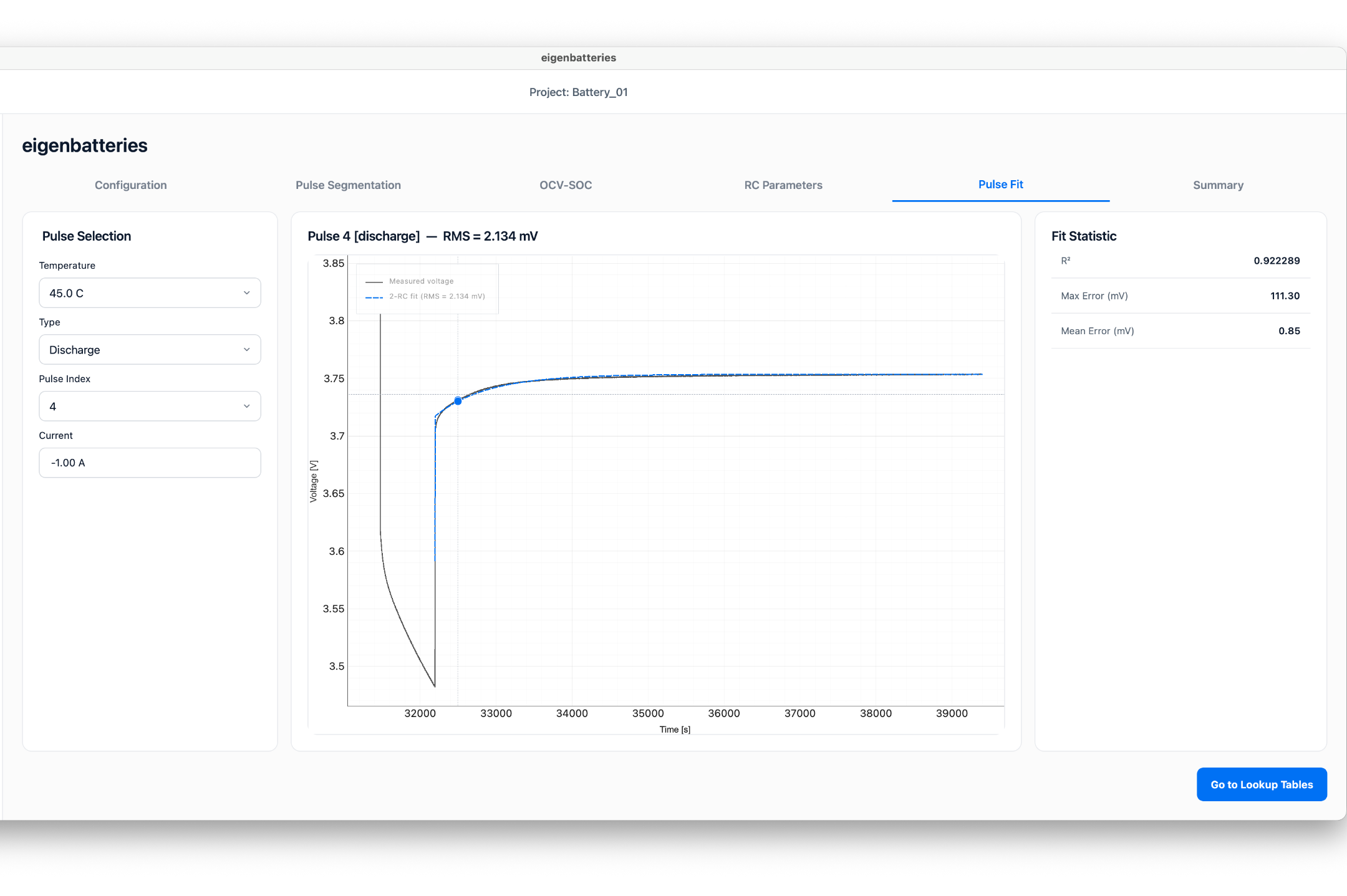
The Pulse Fit tab allows users to evaluate the quality of the parameter extraction process by comparing measured battery voltage against the fitted Thevenin model response.
This validation step confirms that the extracted ECM parameters accurately represent battery behavior.
Purpose
The Pulse Fit tab is used to:
- Review individual pulse fitting results.
- Compare measured and fitted voltage responses.
- Evaluate extraction accuracy.
- Identify poorly fitted pulses.
Pulse Selection
The left panel allows selection of a specific pulse.
Temperature
Select the test temperature.
Type
Select the dataset type. Available options: - Charge - Discharge
Pulse Index
Select the pulse number to review. Each pulse can be inspected individually.
Pulse Information
The Current field displays the pulse current associated with the selected pulse. This value is automatically obtained from the HPPC dataset.
Pulse Fit Plot
The center panel displays the comparison between:
- Measured Voltage
- Fitted 2-RC Model Voltage
The graph allows visual inspection of the fitting accuracy.
A successful fit should show close agreement between both curves.
Fit Statistics
The Fit Statistics panel displays numerical accuracy metrics.
R²
The coefficient of determination measures how well the fitted model explains the measured voltage response.
Higher values indicate better agreement.
Maximum Error
The largest voltage error observed during the fitting interval.
Unit:
text
mVMean Error
The average voltage error over the fitting interval.
Unit:
text
mVReviewing Fit Quality
A good fit generally exhibits:
- High R² values.
- Low maximum error.
- Low mean error.
- Strong overlap between measured and fitted curves.
Users should review several pulses to confirm consistent fitting performance across the dataset.
Expected Outcome
After pulse validation:
- Parameter quality is verified.
- Poorly fitted pulses can be identified.
- Users can confidently proceed to simulation and parameter generation.