

Appearance
How is extraction configured?
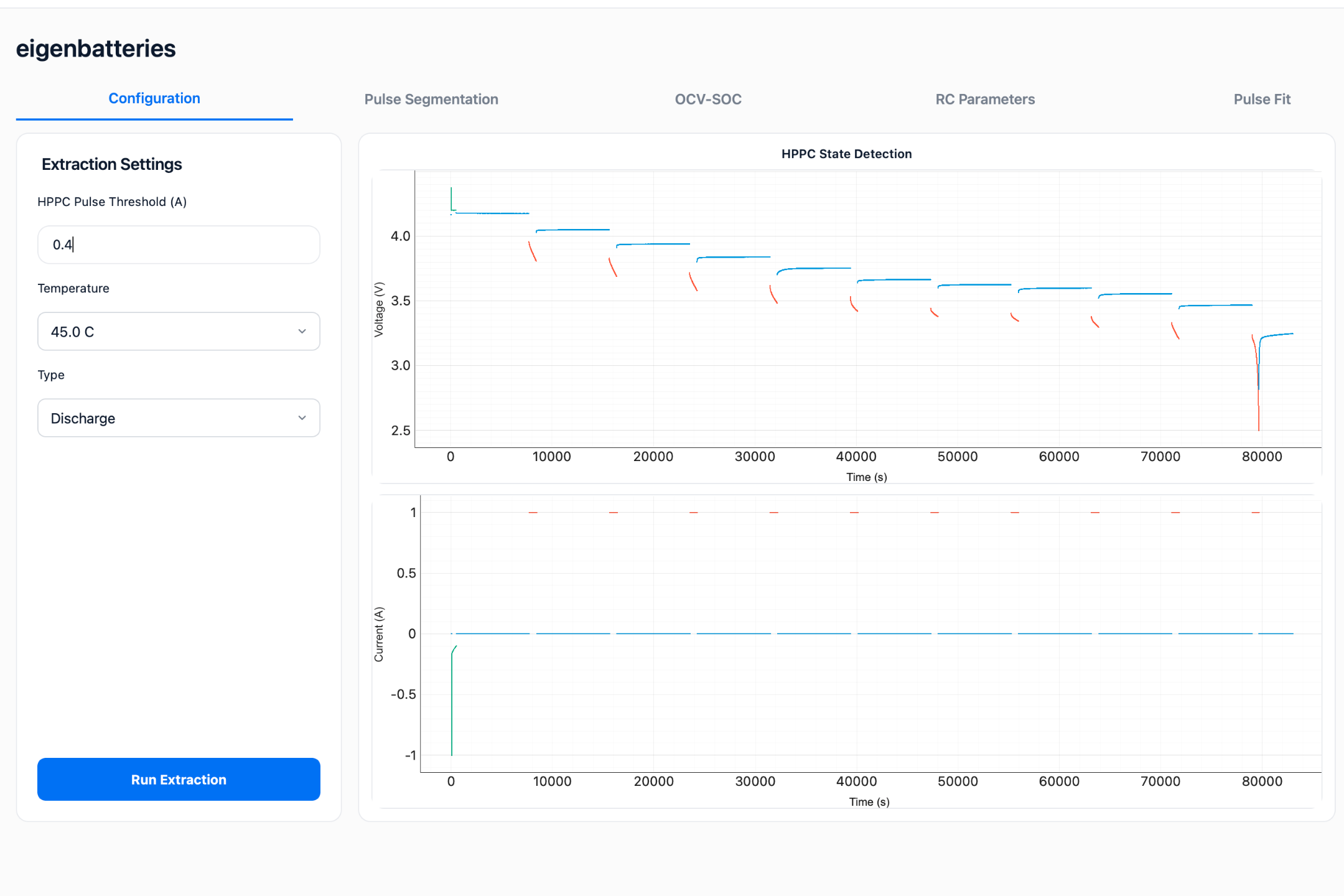
The Configuration tab is used to define the extraction settings and initiate the battery characterization process.
Purpose
The Configuration tab allows users to:
- Configure pulse detection settings.
- Execute ECM parameter extraction.
- Review extraction results.
The extraction process uses the uploaded HPPC and OCV datasets to identify battery model parameters.
Extraction Settings
The Extraction Settings panel is located on the left side of the screen.
HPPC Pulse Threshold
The HPPC Pulse Threshold defines the minimum current magnitude required for pulse detection.
Example:
text
25 ADuring characterization, current events larger than the threshold are considered valid HPPC pulses.
Selection Guidelines
The threshold should be selected according to the HPPC test current.
General recommendations:
| Test Current | Suggested Threshold |
|---|---|
| 10 A | 3 – 5 A |
| 20 A | 5 – 10 A |
| 50 A | 15 – 25 A |
| 100 A | 30 – 50 A |
The threshold should be high enough to avoid capturing regular charging/discharge or noise as pusle while remaining low enough to capture all valid pulses.
Temperature Selection
The Temperature selector allows users to view extraction results for a specific test temperature.
Examples:
- 25 °C
- 45 °C
- 60 °C
Changing the selected temperature updates the displayed characterization results without rerunning the extraction.
Test Type Selection
The Type selector determines which characterization dataset is displayed.
Available options:
- Charge
- Discharge
This setting is used for result visualization and review.
The selected type does not modify previously extracted parameters.
Running Parameter Extraction
To start characterization:
- Enter the HPPC Pulse Threshold.
- Verify the uploaded datasets.
- Click Run Extraction.
The software will automatically:
- Detect HPPC pulses.
- Generate OCV-SOC curves.
- Identify ECM parameters.
- Perform pulse fitting.
- Generate characterization results.
Processing time depends on dataset size and system performance.
Extraction Results Panel
After extraction is completed, a summary of identified ECM parameters is displayed.
Typical parameters include:
| Parameter | Description |
|---|---|
| R0 | Ohmic resistance |
| R1 | First polarization resistance |
| C1 | First polarization capacitance |
| R2 | Second polarization resistance |
| C2 | Second polarization capacitance |
These values represent the currently selected temperature and test type.
Extraction Status
The extraction status indicator displays the current processing state.
Possible states include:
- Ready
- Running
- Completed
- Failed
A successful extraction will display:
text
Status: Completed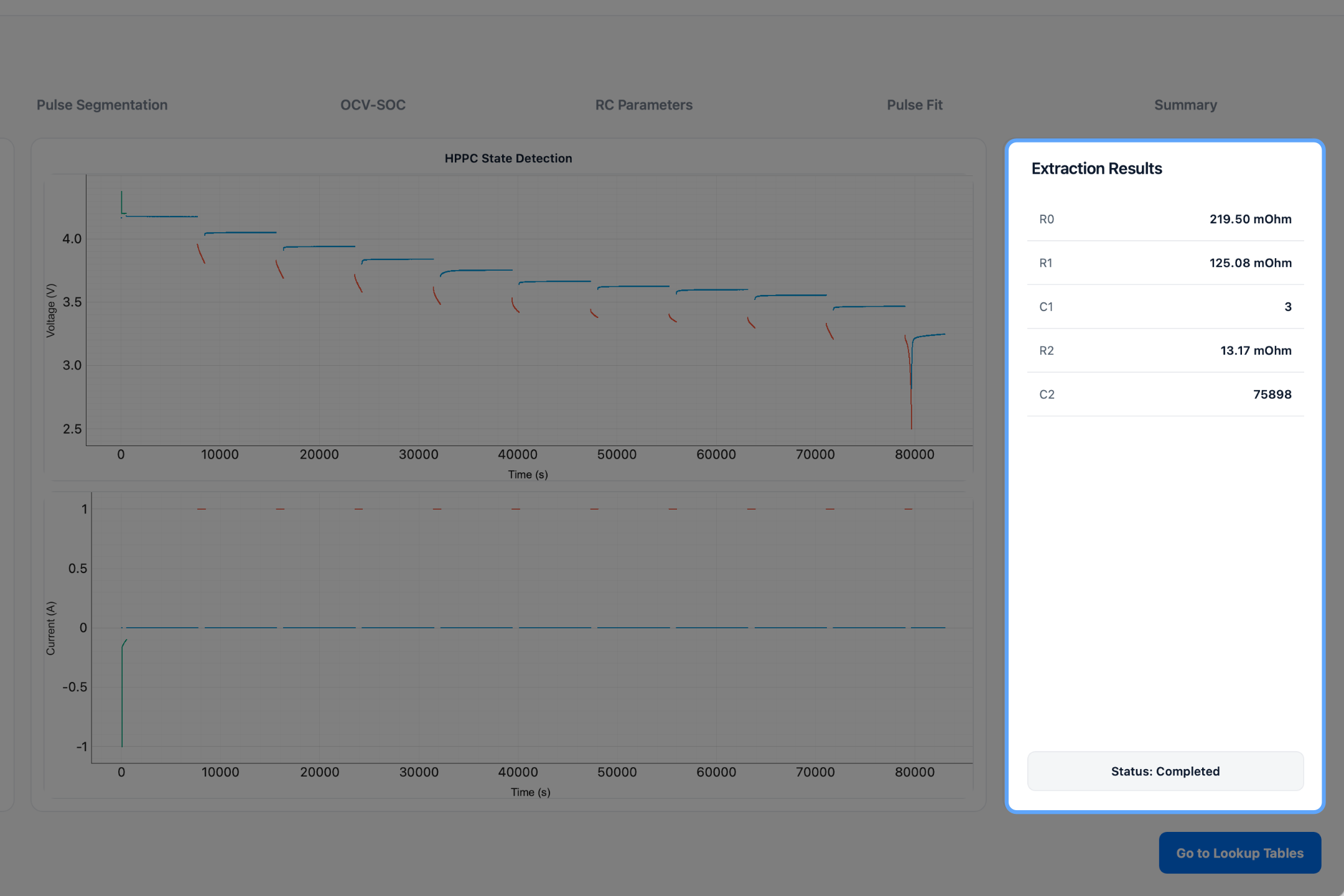
Expected Outcome
After successful extraction:
- HPPC pulses are identified.
- OCV characterization is completed.
- ECM parameters are extracted.
- Pulse fitting is performed.
- Characterization results become available in subsequent tabs.
The next tab displays the pulse segmentation results used during parameter identification.