

Appearance
What Does the User Interface Include?
The Battery Characterization and Simulation Software provides an intuitive interface for battery characterization, model generation, simulation, and State of Charge (SOC) estimation. The interface is organized into dedicated modules that guide users through each stage of the workflow, from project creation and data import to result visualization and report generation.
Interface Layout
The user interface consists of a navigation panel, a main workspace, and a workflow-driven environment. The navigation panel provides quick access to the primary software modules, while the main workspace displays the tools, visualizations, and configuration options associated with the selected module.
This layout enables users to efficiently manage projects, perform battery characterization, analyze simulation results, and navigate between different stages of the workflow.
Module Overview
Dashboard
The Dashboard serves as the main entry point to the software. It provides access to project creation, recently opened projects, workflow status, and frequently used operations.
Projects
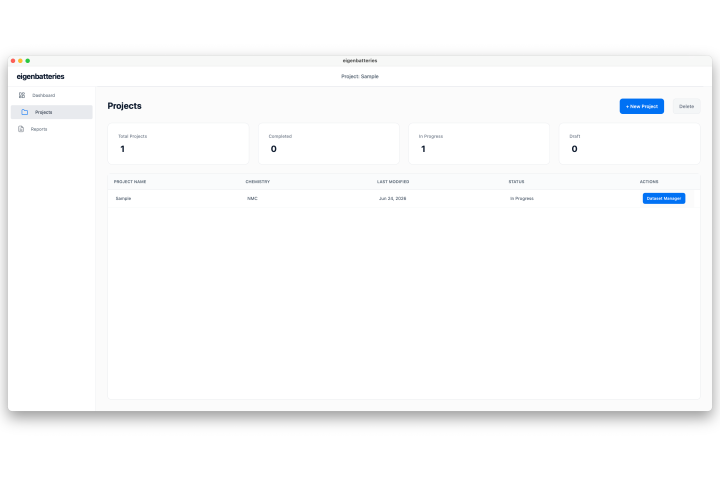 The Projects module is the primary workspace for creating, organizing, and managing battery characterization projects. It contains the tools required for data import, parameter extraction, simulation, and project management.
Reports
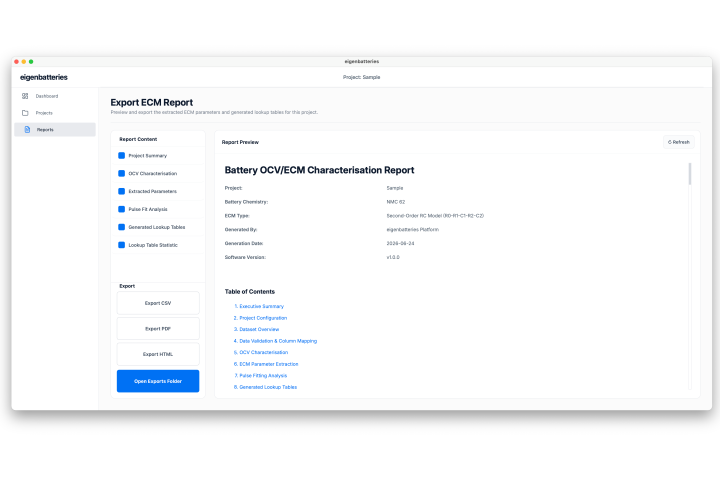 The Reports module provides access to generated results, visualizations, analysis summaries, and exported reports, enabling users to review and interpret the outcomes of battery characterization and simulation workflows.