

Appearance
3.1 Extraction Configuration Validation
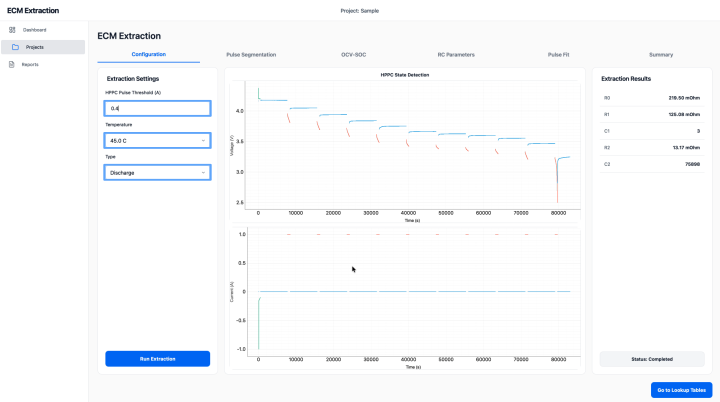
The first characterization step is the extraction configuration page.
Validation Steps
- Open the extraction configuration page.
- Fill the HPPC charge/discharge pulse threshold (For example case it is 0.4).
- Choose the test temperature configuration for the example case.
- Click the run or start extraction button.
- Change type and inspect the graph at different conditions.
Expected Result
The software should start the extraction process and generate intermediate results for pulse segmentation and parameter fitting.
Acceptance Check
- The extraction process starts successfully.
- No configuration error is shown.
- The software moves to the next characterization step.